Never Restored a File? The Test That Tells You Whether Your Backup Exists
Most people find out their backup was never working on the day they need it. A single restore test, done on a quiet morning, settles the question before the loss does.
In old houses, the thing that fails is almost never the thing anyone was watching. The roof gets inspected because it is visible and expensive; the cast iron waste stack behind the plaster does not, until a joist goes soft and someone traces the stain back forty years. Household data works the same way. People worry about the dramatic version, a break-in or a ransomware screen, and lose their records instead to a laptop that will not power on, a phone dropped in a parking lot, or a subscription that lapsed and took the sync with it. The backup question is rarely asked until it is being asked retroactively.
The losses that nobody files under backup
Consider what actually sits on one household machine, and what depends on it downstream. The photographs, obviously, which are the loss people describe emotionally and rarely in dollars. But also the scanned closing documents from a purchase, the contractor's estimate and paid invoice that a manufacturer will want before honoring a shingle warranty, the permit correspondence with the building department, the mileage log a self-employed filer would need if the IRS asked how a deduction was arrived at, and the photographs of the crawl space taken before the insulation went in. None of those feel like data while you have them. They become data the week you cannot produce them.
The secondary losses are quieter and stranger. A phone that dies without a backup takes the authenticator app with it, and the authenticator app is what unlocks the email account, and the email account is what recovers everything else. People describe this as being locked out of their bank. It is more accurate to describe it as having stored the only key inside the locked room. Recovery is usually possible, through identity verification and a queue and a week of phone calls, but it is a week you spend on hold rather than on whatever you had planned, and the cost is real even when the eventual outcome is fine.
Then there is the category that surfaces months later. A homeowner making a claim is asked to show the condition of the property before the loss, and the photographs that would have shown it were on a drive that failed in March. A small business owner reconstructing a year of receipts pays a bookkeeper hourly to do what a working backup would have done in an afternoon. None of these get recorded anywhere as a backup failure. They get recorded as bad luck, or as an expensive month, and the underlying cause is never traced back.
Three copies, two kinds of media, one of them elsewhere
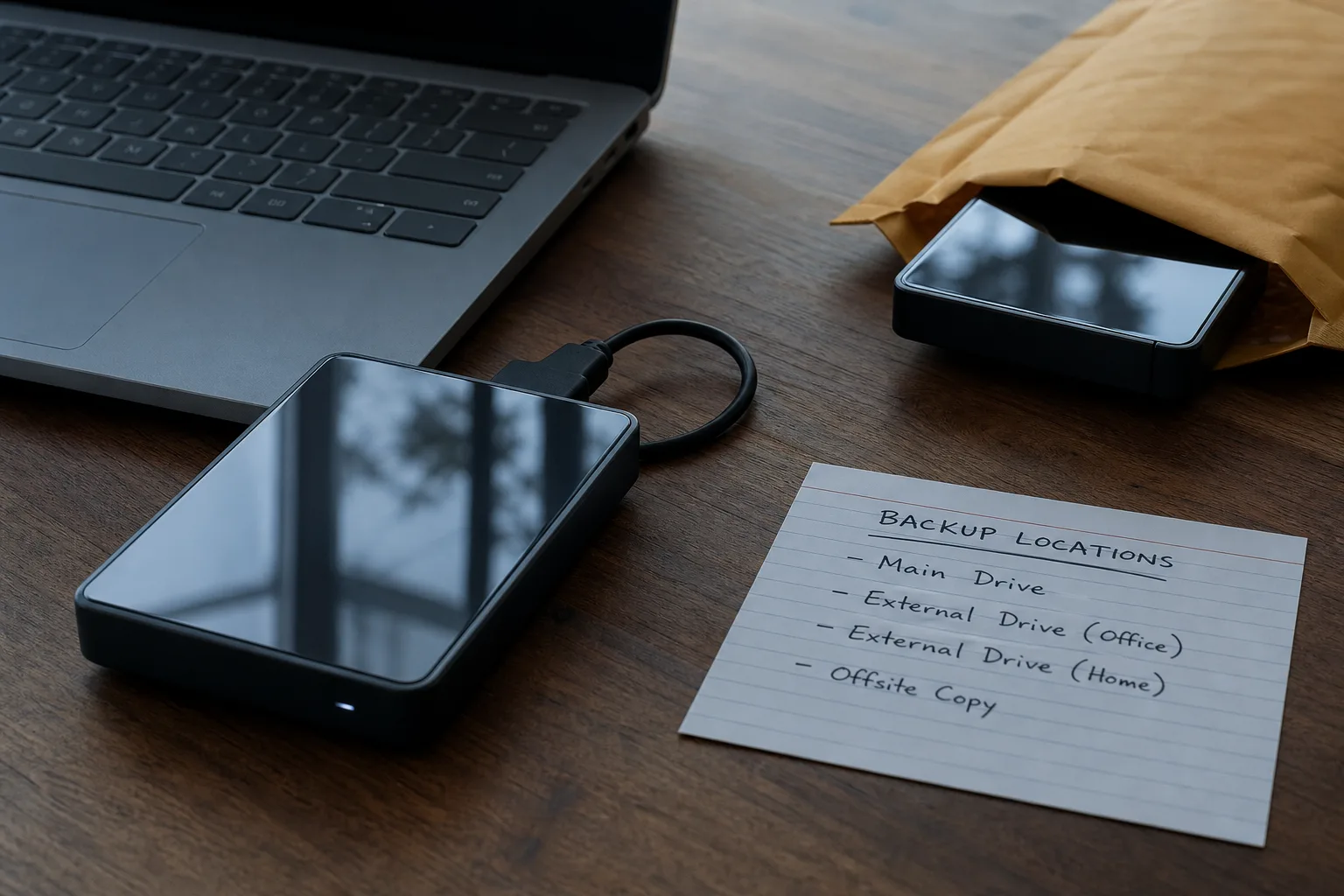
The working rule, which has been repeated in professional practice long enough to have become a convention rather than anyone's proprietary advice, is three copies of anything you cannot recreate, held on at least two different kinds of storage, with at least one copy in a different building. The reasoning is structural rather than technical. Two copies in the same room share a fate: the same surge, the same burst supply line above the ceiling, the same burglary, the same fire. An external drive sitting on the desk beside the laptop it backs up is one copy of the data in two enclosures, which is not what the rule is asking for.
For a first setup, the practical shape is the working copy on the device, a local copy on an external drive or a small network drive that runs automatically, and an offsite copy held by a cloud backup service or, for the cautious, a second external drive kept at a relative's house and swapped every few weeks. The local copy exists because restoring a whole machine over a home internet connection is slow, and the offsite copy exists because the local one is inside the same building as the risk. Cost is modest at household volumes, and the setup time is one evening.
Two distinctions matter more than brand choice. Sync is not backup: a folder that mirrors instantly will mirror a deletion, an encryption by malware, or an accidental overwrite just as faithfully as it mirrors your work. Versioning is what turns storage into a backup, because it keeps the file as it stood last Tuesday as well as the file as it stands now. Ask how far back the versions go, and whether deleted files are retained after removal, before you decide anything else about a service.
The restore test, on a Saturday morning, once
Here is the part that separates a backup from a belief. Pick a file you would genuinely miss, something with real content rather than a test document you made an hour ago, and delete it from the working copy. Empty the trash. Then restore it from the backup, note how long it took, and open it to confirm the contents are actually there and actually current. That single exercise answers three questions at once: whether the backup is running, whether it includes the folder you assumed it included, and whether you know the procedure well enough to perform it under pressure.
Do a second, larger version when you have more patience. Restore an entire folder, ideally one containing a few gigabytes of photographs, and time it. The number you get is the number that will govern a real recovery, and it is usually slower than people expect, particularly for the offsite copy over a residential upload and download speed. Knowing that a full restore of the photo library takes most of a day changes how you plan around a failure. Not knowing it is how people end up promising a lender documents by Friday that cannot physically arrive until Monday.
The third test is the one nobody does and everybody should: restore to a different device. Borrow a laptop, or use an old one, and see whether the backup can be reached from a machine that is not the machine it came from. This is the scenario that actually happens, because the original device is the one that broke. The National Institute of Standards and Technology, which is responsible for the federal cybersecurity framework that most organizational backup policy is built on, treats recovery as a distinct function from protection precisely because the two are verified differently. A protected copy is a claim. A recovered copy is evidence.
What a first test usually turns up
Expect to find something. The most common discovery is scope: the backup covers the documents folder and not the desktop, or not the folder the accounting software writes to, or not the location where the phone's photographs actually land after the app changed its default. The second most common is authentication, where a password change months ago quietly stopped the job from running and the only notice was a small icon nobody reads. The third is media, an external drive that spun down and never came back, which is unremarkable given that drives are mechanical and have a service life like anything else with moving parts.
These are all fixable in an hour on a day when nothing is wrong, which is the entire argument for testing on a calendar rather than on an emergency. Fix the scope by listing what you would need in the worst week and checking each item appears in the restore interface by name. Fix the authentication by setting the service to email you when a backup has not completed in seven days, and by treating that email as a task rather than noise. Fix the media by keeping a second drive and rotating, so no single device is the only path to a copy.
Write down what you did. A single page, kept with your other household papers, naming what is backed up, where each copy lives, which account holds the offsite one, and how a restore is started, is worth more than a more sophisticated system nobody else in the house can operate. The people most likely to need this page are not you. They are whoever is handling things while you are unavailable, and they will be reading it for the first time.
A schedule you will actually keep
Automatic for the backup itself, manual and rare for the test. Daily or continuous backup runs need no discipline because software does them; the test needs discipline because nothing prompts it. Twice a year is enough for a household, and tying it to something already fixed in the calendar, the smoke alarm battery change or the week you gather tax documents, is how it survives contact with a real year. Each test is twenty minutes of restoring one file and confirming the offsite copy is current. The work is small. What it buys is the difference between having copies and knowing you have them, which is the only version that helps on the day it matters.